Is TenPayGo really from Tencent?
Yes. The developer in the App Store is Tencent Technology (Shenzhen) Company Limited, and Tencent launched the app on September 24, 2026. The app's About page lists customer service at +86 95017.
ChinaEase Buddy
Maintained by Lin · Tested on iPhone 14 (iOS 18.5), TenPayGo 1.1.2, Dongguan, October 24–25, 2026
TenPayGo is Tencent's payment app for visitors to China. It pays at shops that take WeChat Pay (called Weixin Pay in the app), and you don't need a WeChat account or a Chinese phone number. I set it up on October 24, 2026, and paid at a shop the next day:
Sign-up: an email address and the code it sends you. It didn't ask for a phone number, passport or face scan.
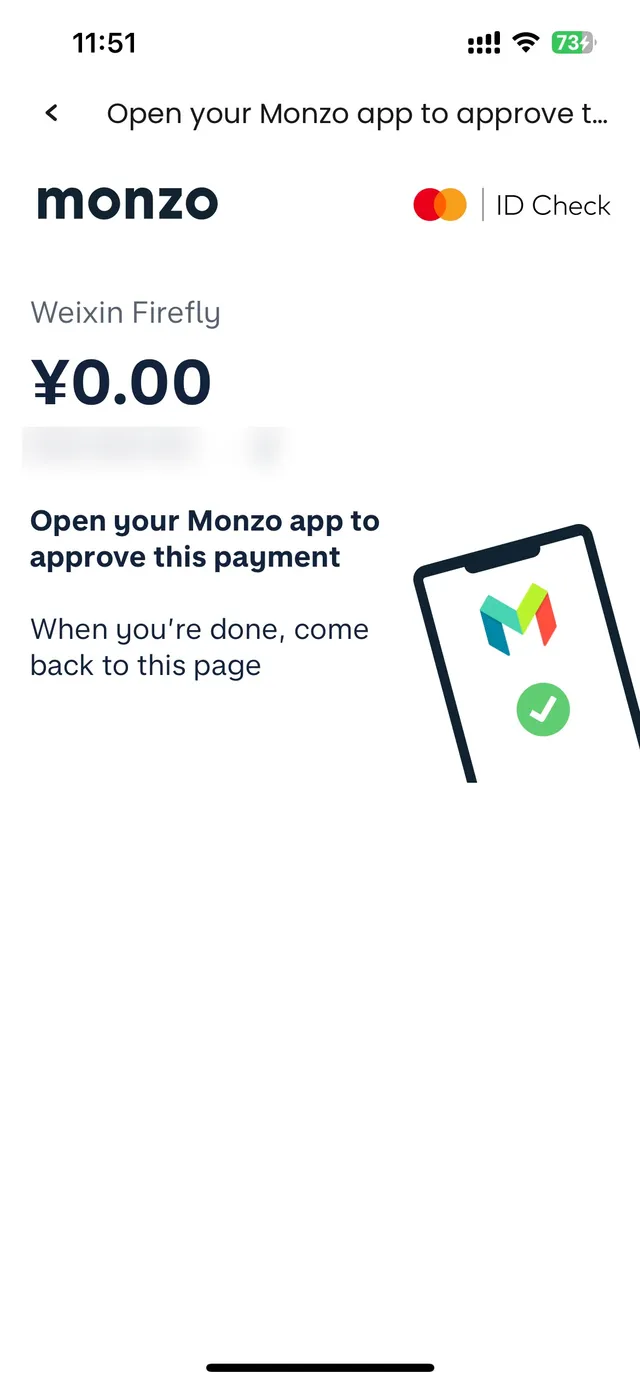
Cards: I linked a UK Mastercard. My bank asked me to approve a ¥0.00 check, so nothing was charged. Apple Pay took one tap.
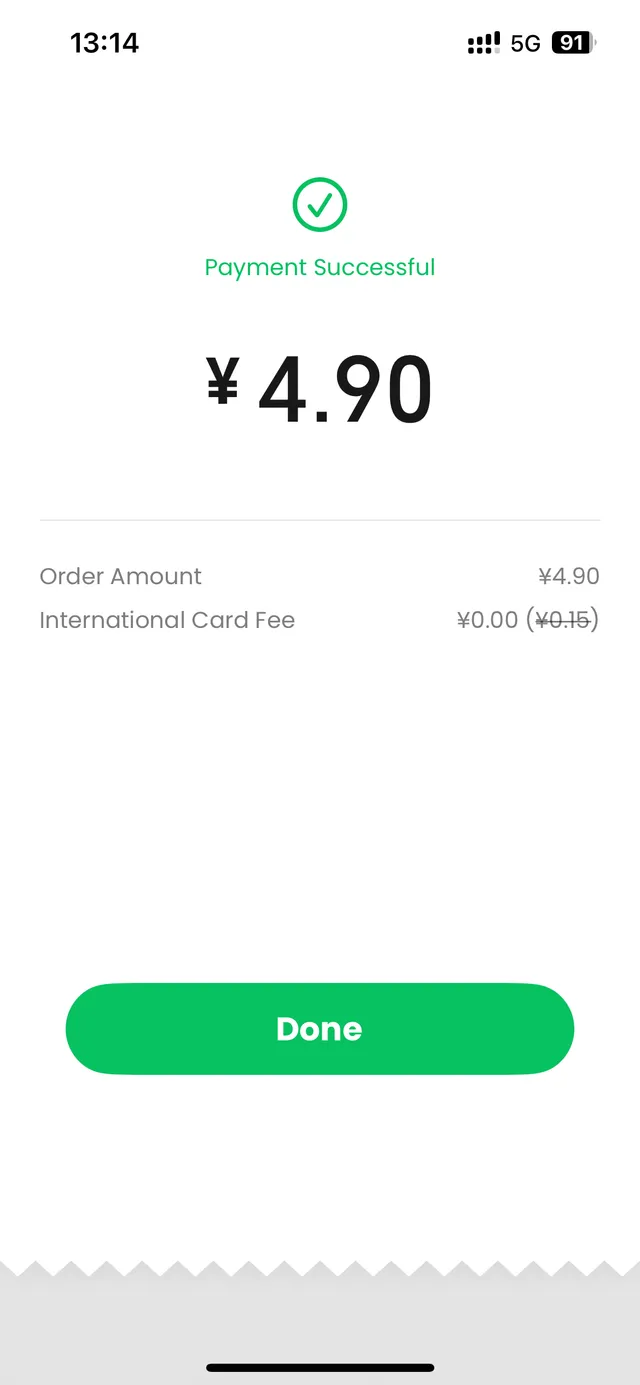
Paying: I showed my payment code at a shop and paid ¥4.90. The ¥0.15 international card fee (3%) was crossed out, so I paid no fee.
Shenzhen metro and buses: the Shenzhen Transit Card is in the app. Top up ¥50, ¥100 or ¥200; at least ¥35 has to stay on the card.
Outside Shenzhen it has no metro code yet, so keep Alipay as well.
Jump to: Sign up · Link a card · Pay · Fees · Shenzhen metro · E-wallets · vs Alipay and WeChat Pay
Last reviewed: October 25, 2026
Tencent launched TenPayGo on September 24, 2026 for people visiting China. It isn't WeChat. It's a separate app that pays at shops that accept WeChat Pay. You pay with a foreign card, Apple Pay or a supported overseas e-wallet; Chinese bank cards can't be used.
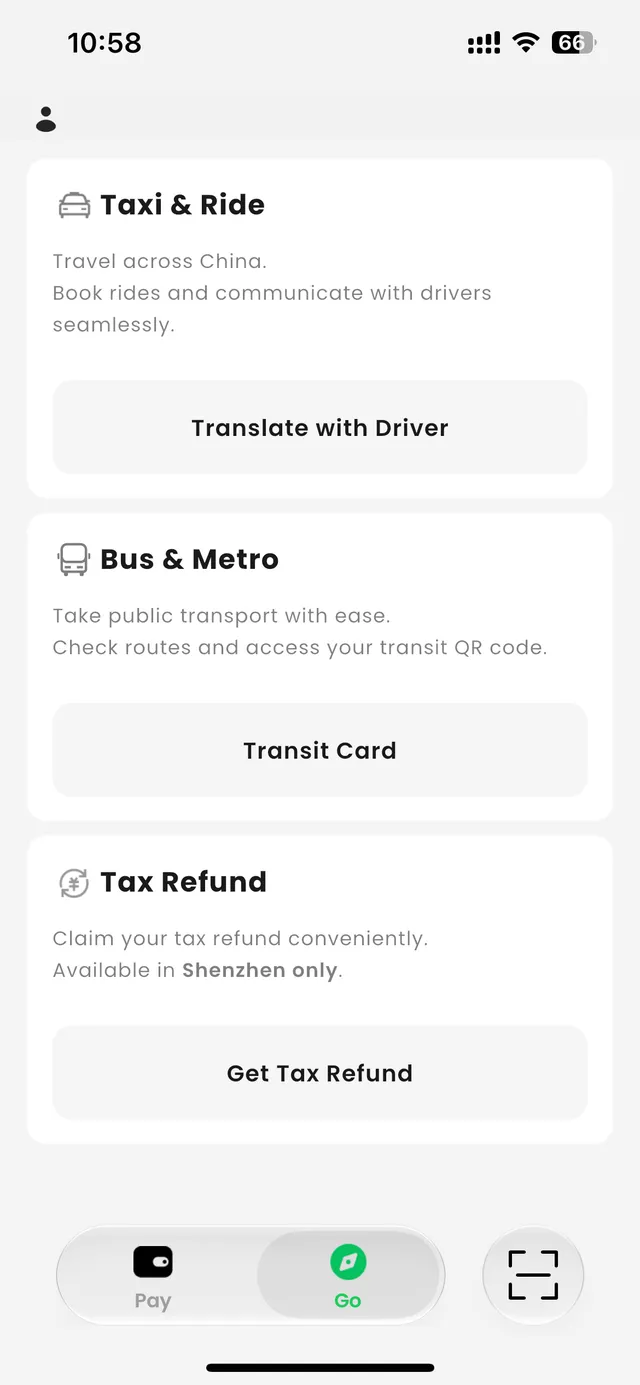
The app is in English and has two tabs: Pay, for your cards and payment codes, and Go, for the Shenzhen transit card, a driver translation tool and tax refunds (Shenzhen only).
Get it from the App Store or Google Play. The developer is Tencent Technology (Shenzhen) Company Limited. It's in app stores in more than 30 countries, so you can set it up before you fly.
Open the app and enter your email. Tick the box to agree to the terms and tap Next. There's also a Skip button if you want to look around first.
Enter the code TenPayGo emails you.
Draw a gesture password (a pattern on nine dots), then draw it again to confirm.
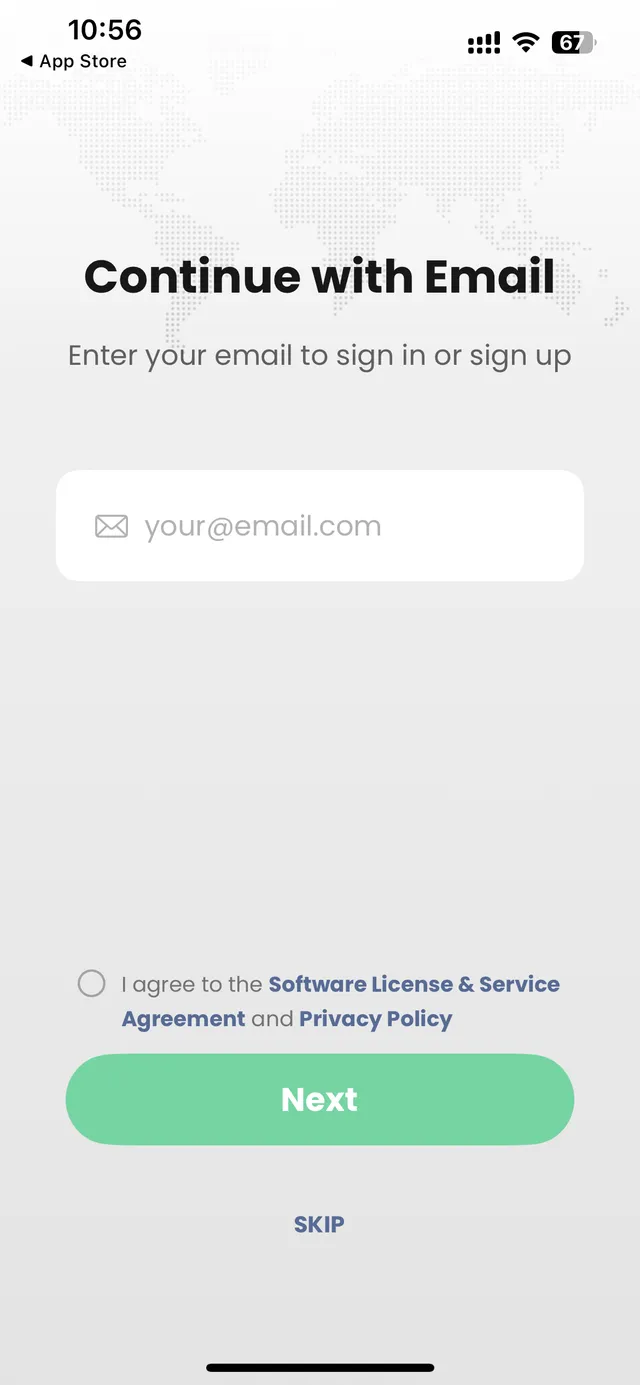
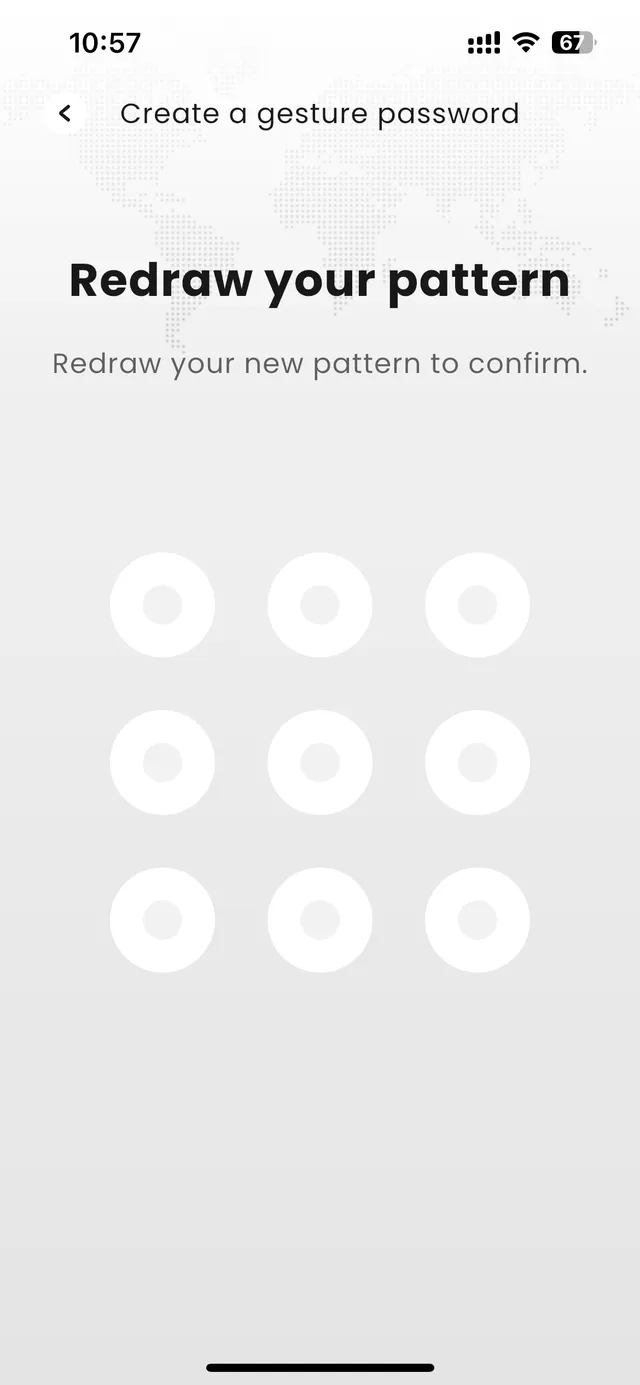
It didn't ask for a phone number, passport, name, nationality or a face scan.
The setup screen shows the seven card networks TenPayGo accepts: Visa, Mastercard, UnionPay, American Express, JCB, Diners Club and Discover. The card has to be issued outside mainland China.
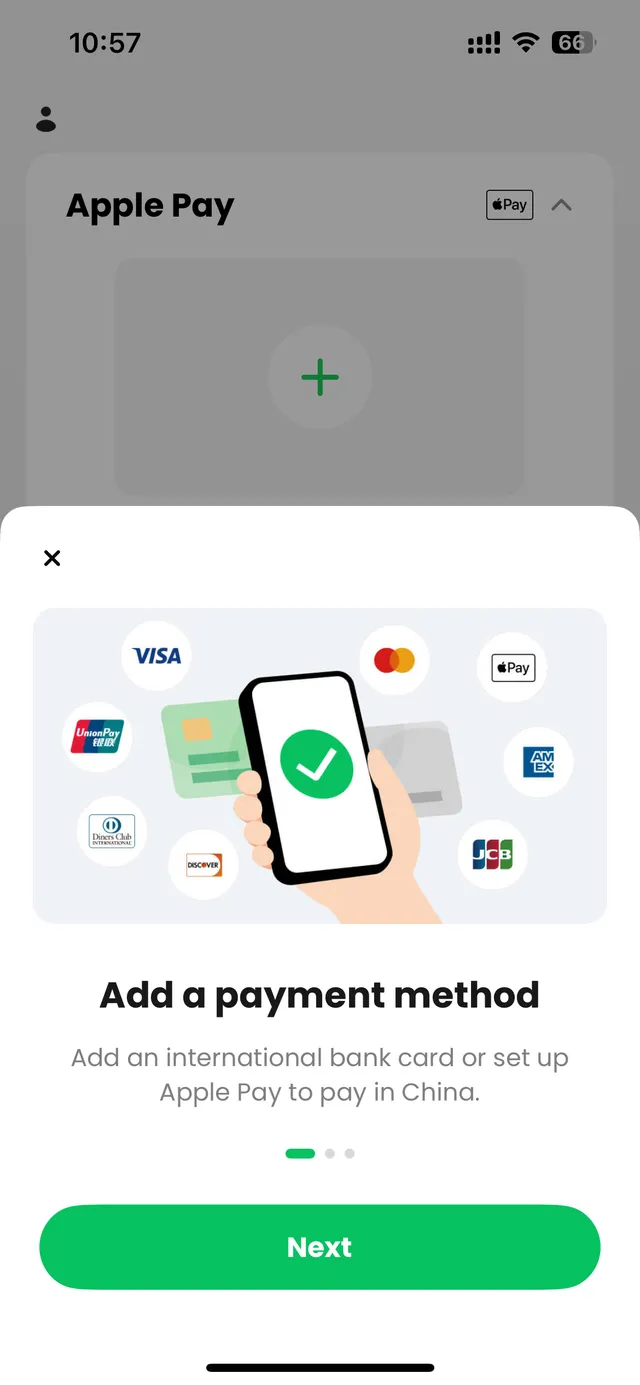
How it went with my card, a Mastercard from Monzo, a UK bank:
On the Pay tab, I opened Bank Card and entered the card details.
My bank's security check (Mastercard ID Check) opened and asked me to approve in the Monzo app. The amount was ¥0.00. The merchant showed as "Weixin Firefly" on the check and as "Tencent" in my banking app. Nothing was charged.
TenPayGo then asked me to set a 6-digit payment PIN. This is separate from the gesture password.
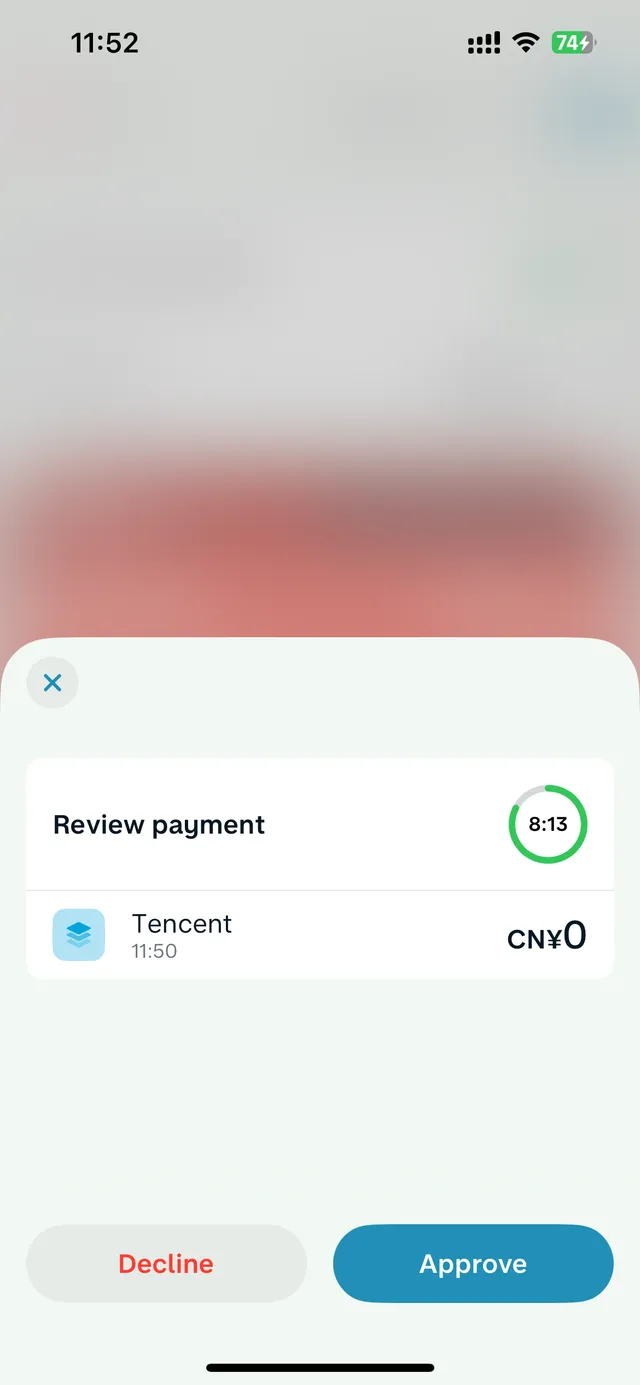
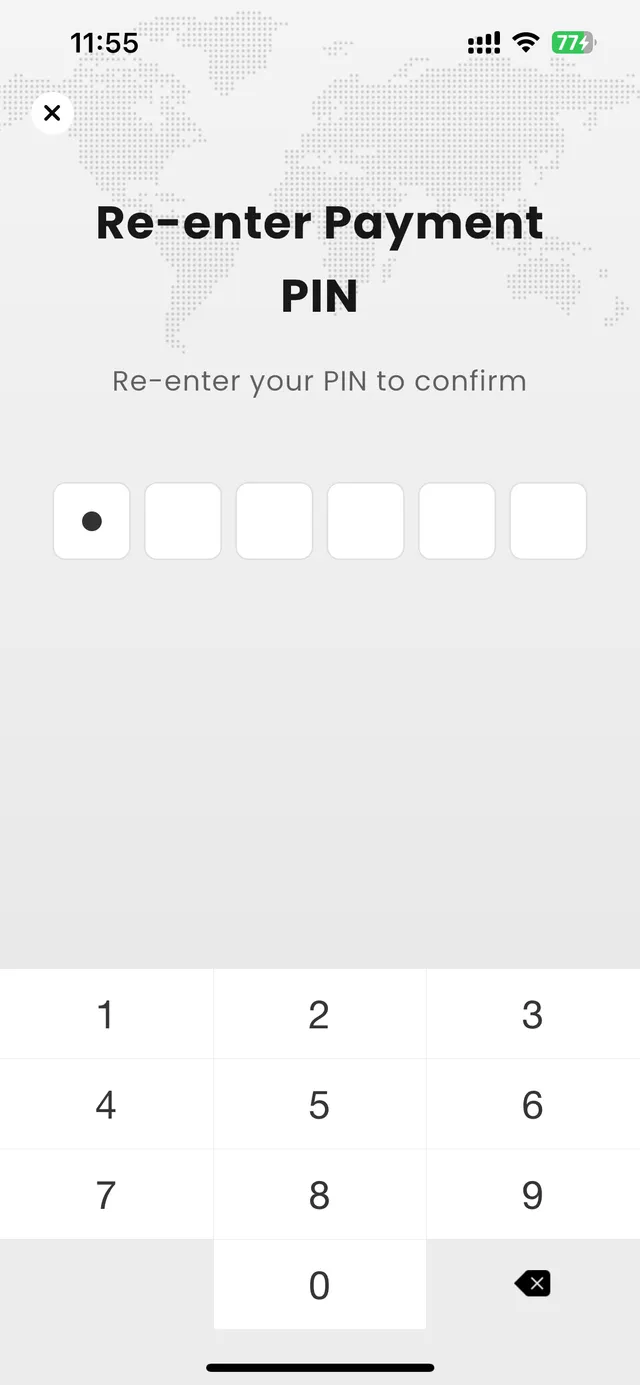
Apple Pay: tap the + under Apple Pay.
Once linked, each payment method gets its own Pay code button.
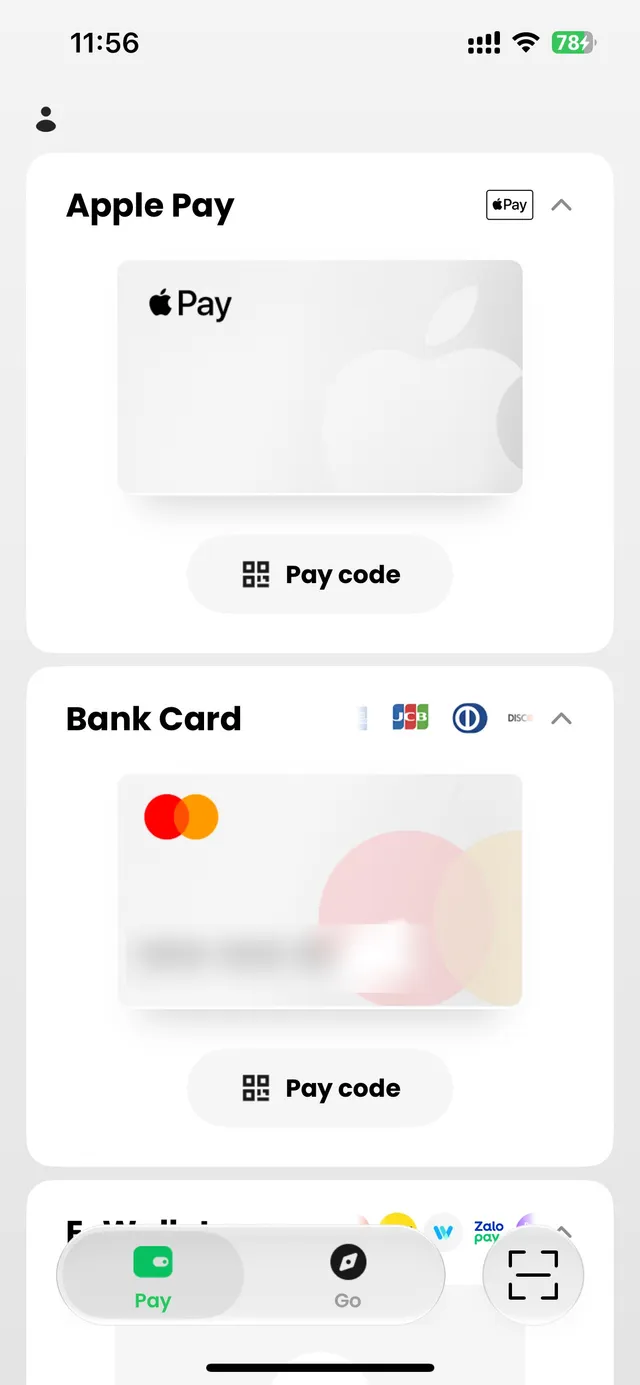
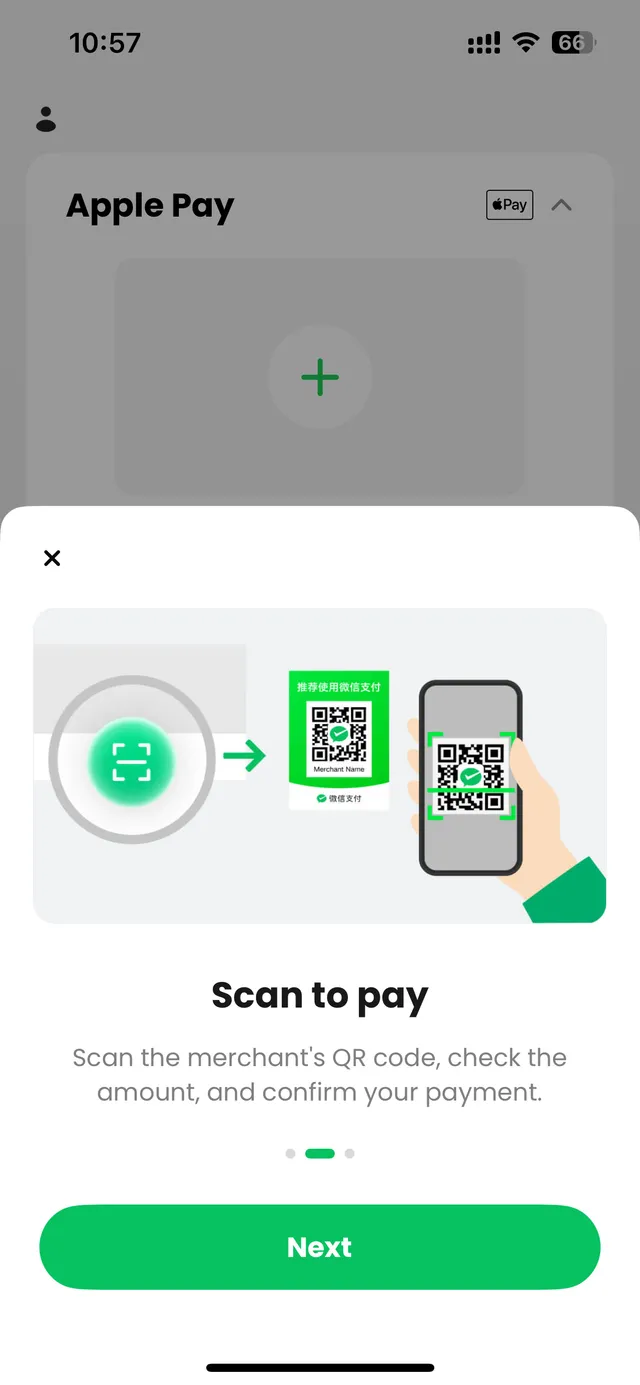
The app shows two ways to pay, the same as WeChat Pay:
Scan to pay: tap the scan button (bottom right), scan the shop's WeChat Pay QR code, check the amount and confirm.
Show your code: tap Pay code under the card or Apple Pay you want to use and let the cashier scan it. You can switch the payment method on the code screen. Then confirm on your phone.
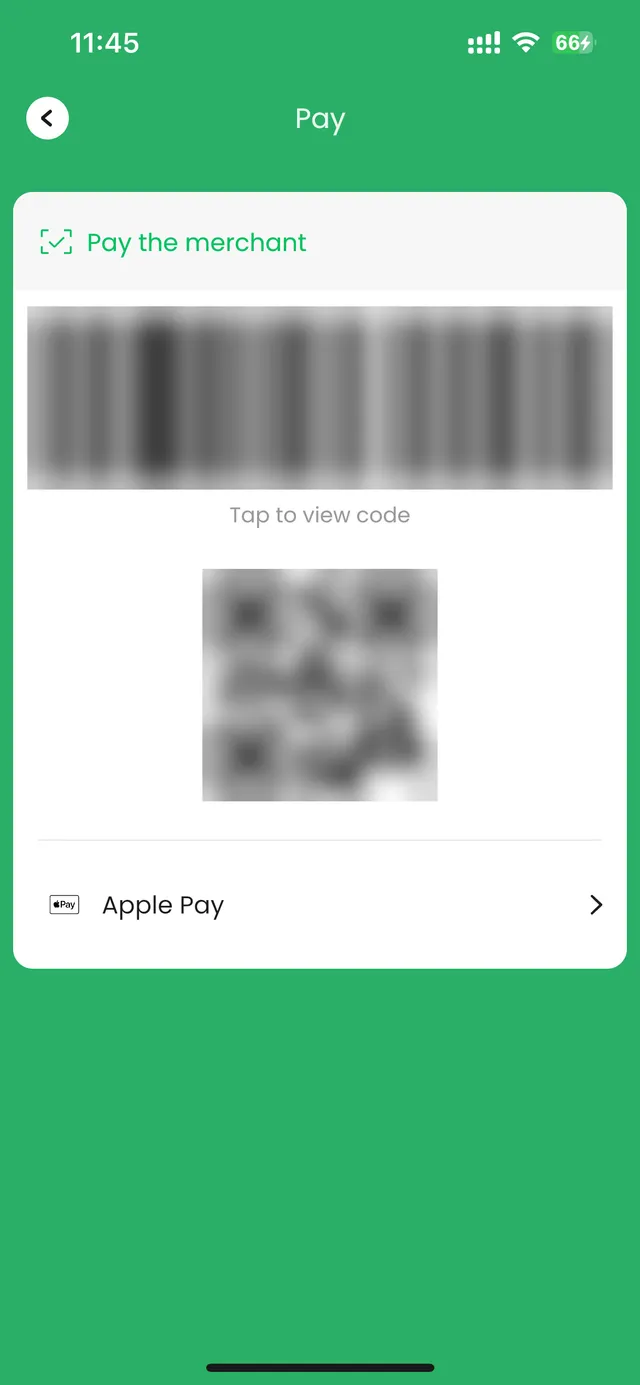
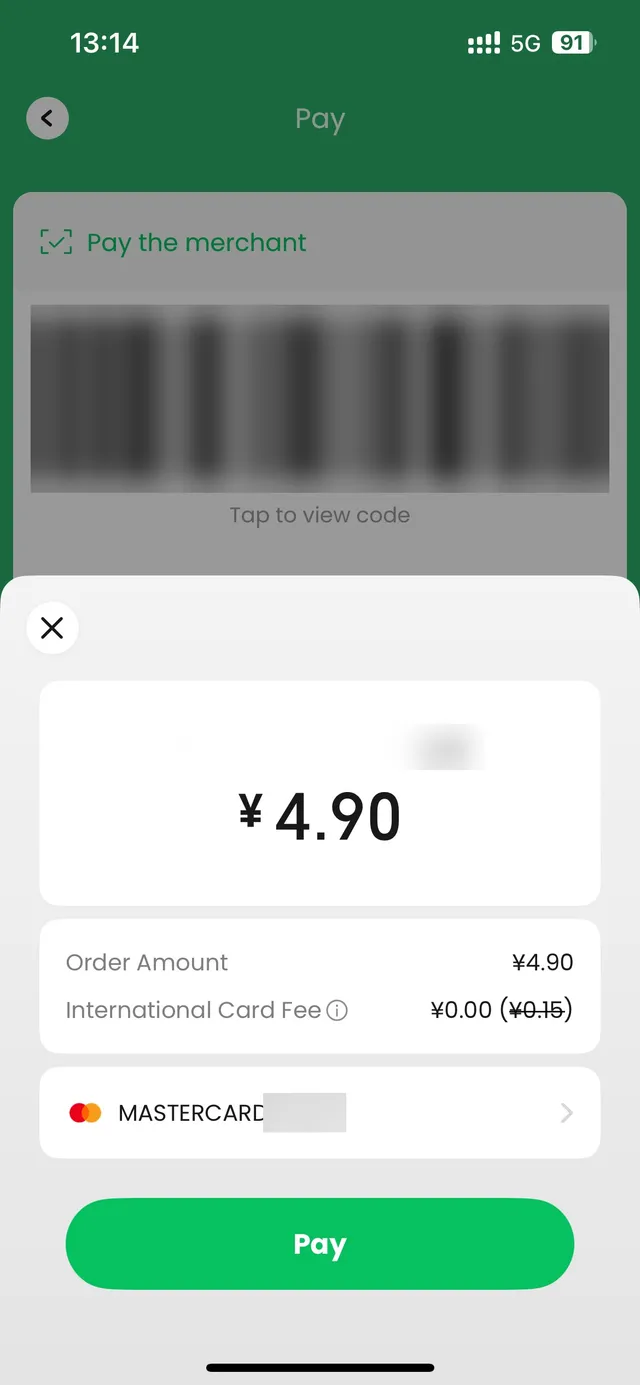
My test, October 25, 2026: I paid ¥4.90 at a shop in Dongguan by showing my payment code. After the cashier scanned it, TenPayGo showed a confirmation screen with the shop's name, the amount, an International Card Fee line and the card it would charge. I tapped Pay and it went through.
Never send a photo of your payment code to anyone: whoever scans it can take a payment.
Linking a card: my bank's check was for ¥0.00.
Paying: on my ¥4.90 payment, the International Card Fee line showed ¥0.00, with ¥0.15 (3%) crossed out, so no fee was charged. TenPayGo runs on Weixin Pay, and for foreign cards Weixin Pay and Alipay generally charge no fee on payments of ¥200 or less; above ¥200, a 3% fee may apply to the whole amount (Shanghai government, September 2026). The fee line appears before you tap Pay, so check it on bigger payments.
Your bank may add its own foreign transaction fee.
In the Go tab, open Bus & Metro → Transit Card. You'll see a Shenzhen Transit Card (深圳通, Shenzhen Tong). To start using it, top up ¥50, ¥100 or ¥200. The app says at least ¥35 (about US$5) has to stay on the card, enough for the highest single-trip fare in Shenzhen.
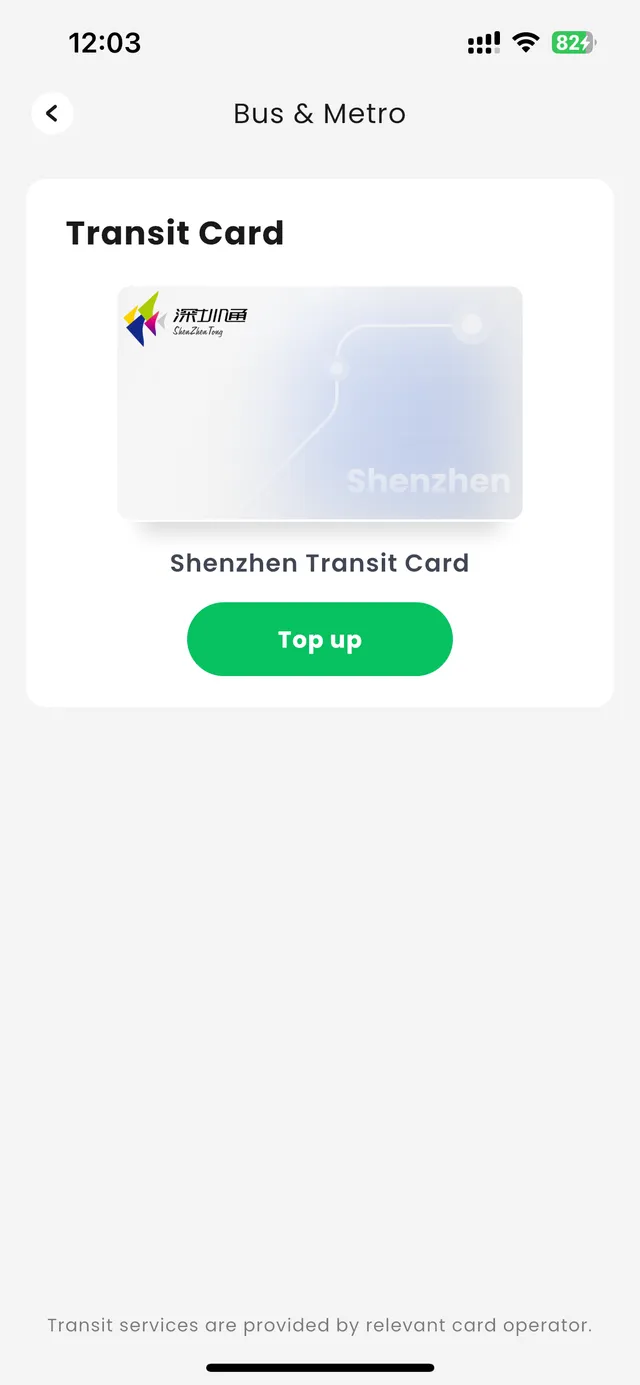
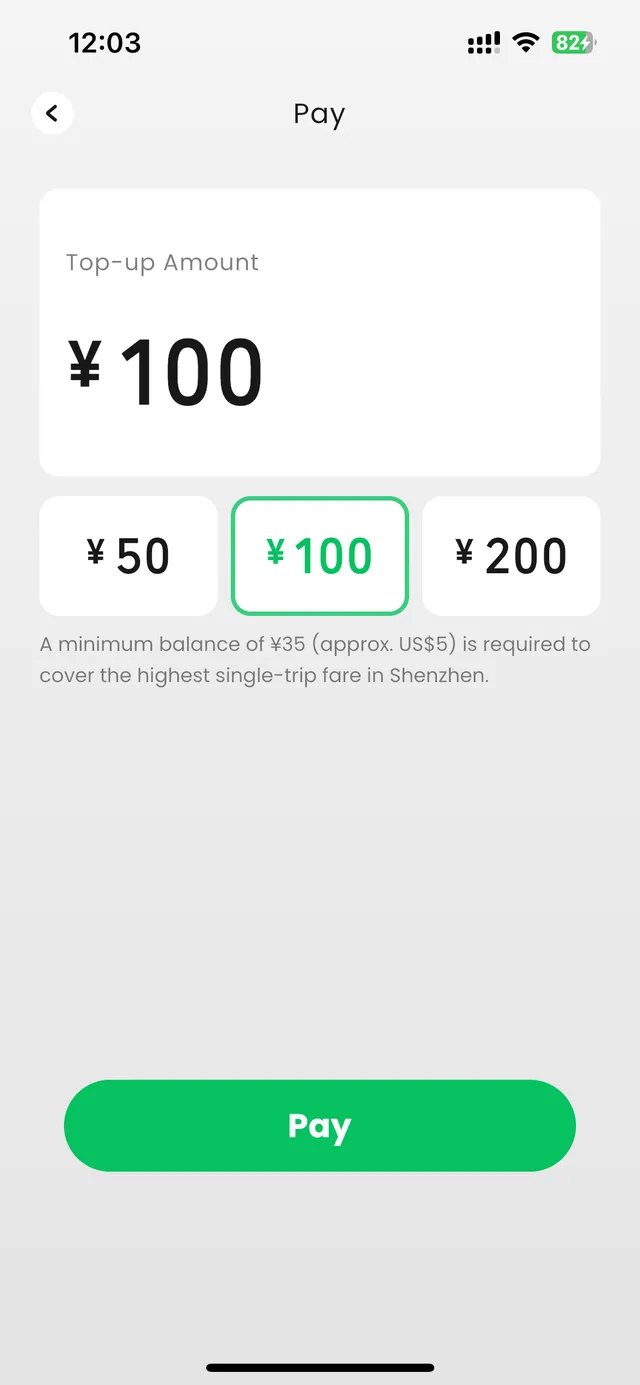
Shenzhen's government said the service would be fully available in October 2026, and that you don't need a Chinese phone number or a physical card. After topping up, you scan the code to ride Shenzhen's metro and buses.
I didn't top up, so I can't tell you yet how leftover balance is refunded.
Other cities: TenPayGo has no transit code there yet. In Beijing, Shanghai, Guangzhou and Shenzhen you can tap a contactless Visa or Mastercard at the metro gate; elsewhere, use Alipay's ride code.
If you use one of these wallets at home, you can pay Weixin Pay QR codes with it. On October 24, 2026, the list in the app had 12: Starryblu, BCEL One, Hipay, MoMo, ShopeePay Singapore, ShopeePay Thailand, Travel Wallet, Zalopay, KB Star Banking, LiquidPay, Octopus and Shinhan SOL Pay. GDToday's launch report said about 60 are expected by the end of 2026.
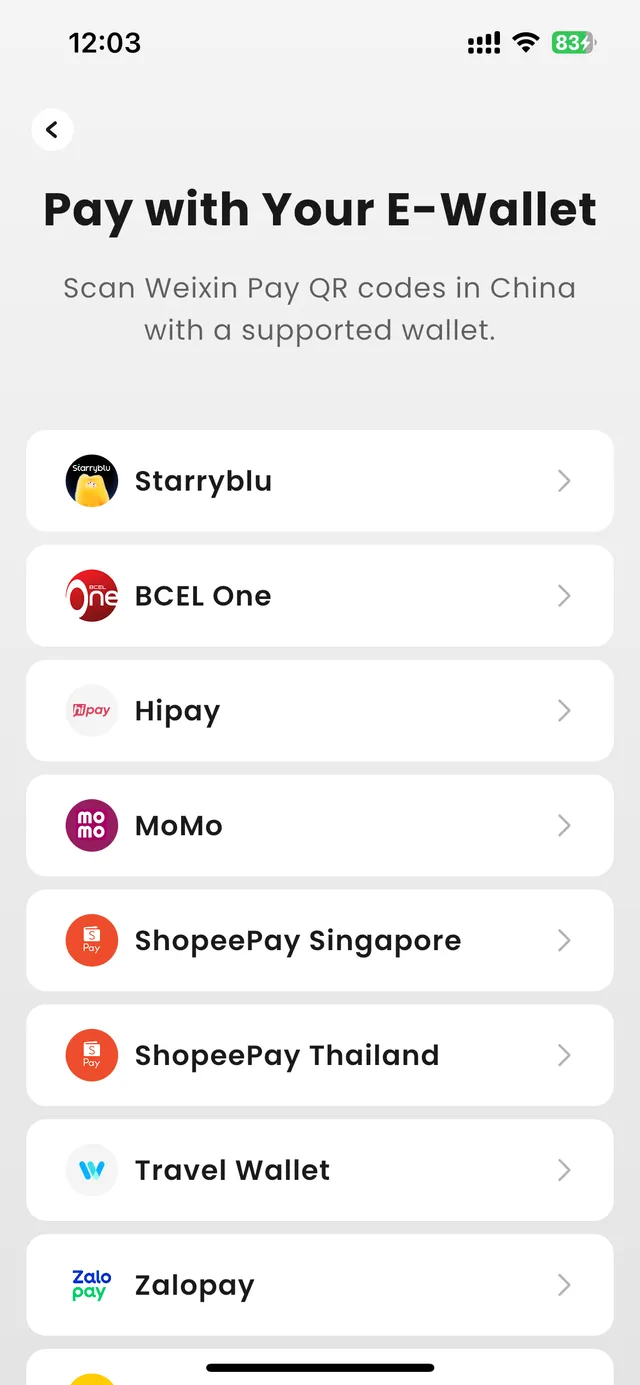
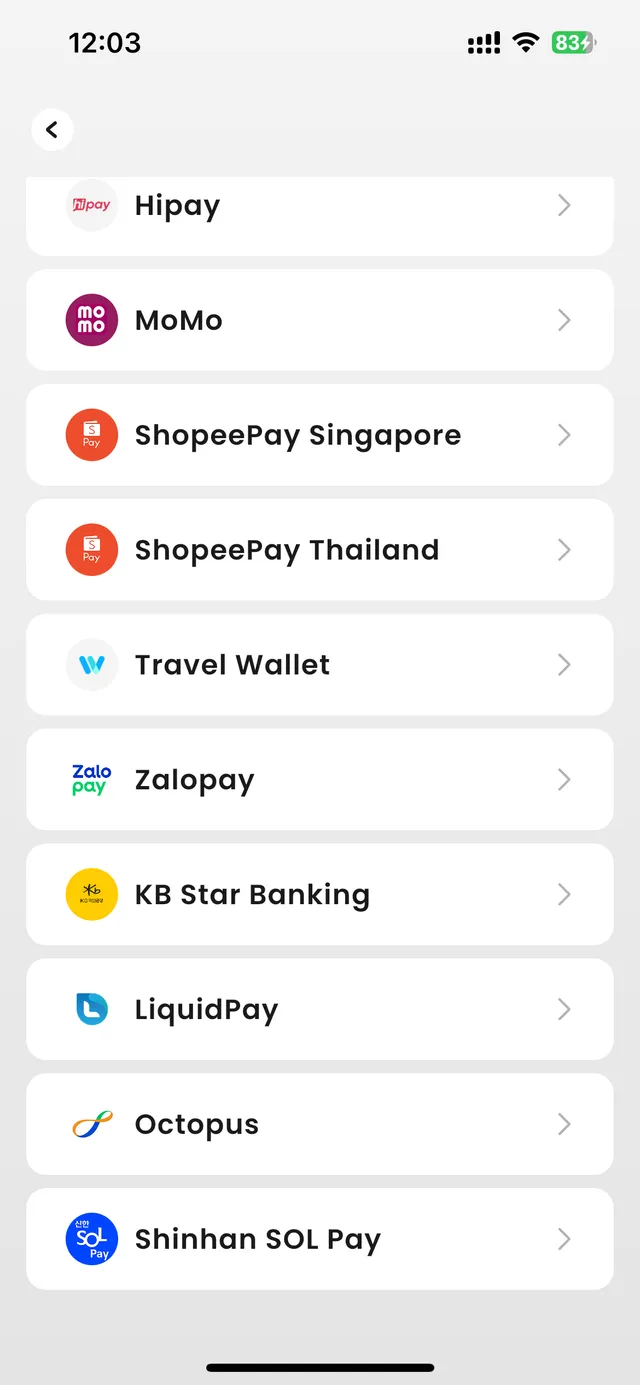
I don't use any of these wallets, so I couldn't test a payment with one.
Taxi & Ride: the only button is Translate with Driver. To book a ride, use DiDi or Amap: paying for DiDi with a foreign card · booking a taxi in Amap.
Bus & Metro: the Shenzhen Transit Card above.
Tax Refund: "Available in Shenzhen only", according to the app.
| TenPayGo | Alipay | WeChat Pay | |
|---|---|---|---|
| Sign-up | Email and a code | Phone number, then link a card | A WeChat account; new accounts may need an existing user to verify you |
| Pays at | Shops that take WeChat Pay | Shops that take Alipay | Shops that take WeChat Pay |
| Metro codes | Shenzhen only | Ride codes in many cities | Ride codes in many cities |
| DiDi rides | Not in the app | DiDi mini program inside Alipay | DiDi mini program inside WeChat |
My advice: make Alipay your main app and add TenPayGo as the backup for shops that only take WeChat Pay. It's most useful if WeChat won't let you sign up: WeChat verification without a friend's QR code.
Linking a card in WeChat itself? Fees, limits and the PayPal option: WeChat Pay for foreigners.
Yes. The developer in the App Store is Tencent Technology (Shenzhen) Company Limited, and Tencent launched the app on September 24, 2026. The app's About page lists customer service at +86 95017.
No. I signed up with an email address and a code; it didn't ask for a phone number, passport or face scan.
Cards from Visa, Mastercard, UnionPay, American Express, JCB, Diners Club and Discover, issued outside mainland China. I linked a UK Mastercard. You can also add Apple Pay.
Not in my test. My bank's security check was for ¥0.00, shown as "Weixin Firefly" and "Tencent".
On my ¥4.90 test payment, the International Card Fee was ¥0.00, with the usual 3% (¥0.15) crossed out. For foreign cards, Weixin Pay generally charges no fee on payments of ¥200 or less and may charge 3% of the whole amount above that, so check the fee line before you tap Pay.
In Shenzhen, yes: top up the Shenzhen Transit Card in the Go tab (¥50, ¥100 or ¥200; at least ¥35 has to stay on the card). In Beijing, Shanghai and Guangzhou, tap your card at the gate; elsewhere, use Alipay's ride code.
Only if it's on the in-app list. On October 24, 2026 it had 12 wallets, including MoMo, Zalopay, ShopeePay, Octopus and KB Star Banking.
Use both. Alipay covers DiDi and metro codes in many cities; TenPayGo adds WeChat Pay shops without a WeChat account.
I'm Lin — Chinese, lived abroad for years, and in China right now. Send me your dates or draft route and I'll reply within 48 hours with the 3 biggest route, timing or booking risks. Free. Human customized itinerary planning is a separate paid service.
I only recommend guides; I don't take payment for guide or driver services.
lin@chinaeasebuddy.com
Include your travel dates, cities and main questions. Please leave out passport numbers, payment details and other sensitive information.
ChinaEase Buddy is a digital travel toolkit. It is not an official travel authority, visa service, immigration service, medical service, legal service, financial service, hotel booking service, or flight booking service. Always confirm important travel, payment, health, and entry information with official sources or service providers.